Xabe.FFmpeg 6.1.1
Xabe.FFmpeg



A cross-platform .NET wrapper that runs FFmpeg and FFprobe for you from C#: convert, probe, resize, subtitle, and stream media without memorizing the command line.
How it works. Xabe.FFmpeg does not bind to the native libav* libraries. It builds an FFmpeg argument string and starts the ffmpeg / ffprobe executables that exist on your machine (or that you tell it about). Everything the FFmpeg CLI can do stays available — you are never limited to what the wrapper models.
Contents:
- Install
- Quick start
- Packages and capabilities
- Choosing the right API level
- Finding FFmpeg and FFprobe
- Compatibility and limitations
- Troubleshooting and support
- Documentation and project resources
Install
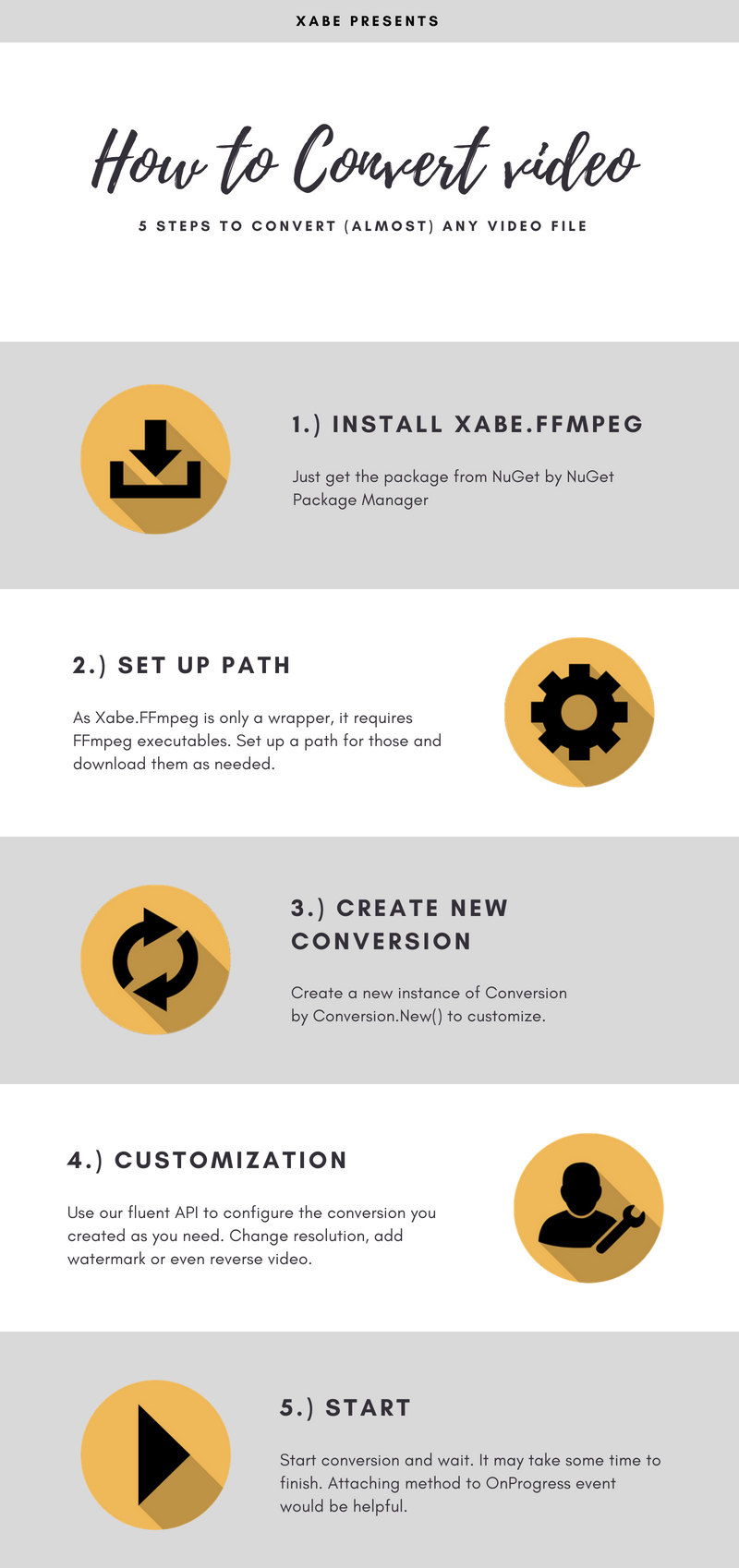
Xabe.FFmpeg is distributed on NuGet:
dotnet add package Xabe.FFmpeg
or in the NuGet Package Manager console:
PM> Install-Package Xabe.FFmpeg
Prerequisite: both the ffmpeg and ffprobe executables must be available. If you do not have them, either install them from your platform's package manager, or use the separate Xabe.FFmpeg.Downloader package, which fetches a build for you.
When you create a conversion, the library locates the executables in this order:
- The directory you pointed it at with
FFmpeg.SetExecutablesPath(...). - The directory containing your application's entry assembly.
- The directories listed in the
PATHenvironment variable.
Lookup is by executable name (ffmpeg, ffprobe, plus .exe on Windows) and is case-insensitive. If neither executable is found, an FFmpegNotFoundException is thrown with a message pointing at the locations it searched (the configured directory, if any, and PATH).
Quick start
One complete local-file conversion. This compiles and runs in any console project that references the package, as long as ffmpeg/ffprobe are discoverable:
using System;
using Xabe.FFmpeg;

string input = "movie.mkv";
string output = "movie.mp4";

IConversion conversion = await FFmpeg.Conversions.FromSnippet.ToMp4(input, output);
IConversionResult result = await conversion.Start();

Console.WriteLine(result.Arguments);
The snippet probes the input, selects the first video and audio streams, and retargets them to H.264/AAC in an MP4 container. Against a two-stream MKV input the emitted command has the shape:
-i "movie.mkv" -c:v h264 -c:a aac -map 0:0 -map 0:1 -n "movie.mp4"
Note the -n: the snippet does not overwrite an existing output file, so running the snippet twice fails with a ConversionException until you delete or rename movie.mp4.
Packages and capabilities
| Package | Purpose |
|---|---|
| Xabe.FFmpeg | Builds FFmpeg/FFprobe command lines, runs the executables, and surfaces results and progress. |
| Xabe.FFmpeg.Downloader | Separate, optional package that downloads an ffmpeg/ffprobe build for the current OS into a directory you choose. |
What the core package offers today:
- Common conversion snippets (to MP4/TS/WebM/OGV/GIF, extract/add audio, snapshots, split, concatenate, watermarks, M3U8 capture, send files to an RTSP server).
- Stream-level control: select, copy, or reconfigure individual video, audio, and subtitle streams (codec, bitrate, size, rotation, filters).
- Probing with
FFmpeg.GetMediaInfo(...)(ffprobe-backed) and rawProbeaccess for custom ffprobe arguments. - Progress and raw-output events:
OnProgress,OnDataReceived, andOnVideoDataReceived(withPipeOutput). - RTSP/web streams: send files or the desktop to an RTSP server, capture HLS playlists.
- Hardware acceleration pass-through:
cuvid/NVENC, QuickSync, VideoToolbox, VAAPI and friends, viaUseHardwareAcceleration(...). - Arbitrary custom FFmpeg parameters with explicit placement (
ParameterPosition).
Public entry points worth knowing: FFmpeg (the static facade), FFmpeg.Conversions (new conversions), FFmpeg.Conversions.FromSnippet (ready-made operations), FFmpeg.GetMediaInfo (probing), IConversion (fluent conversion builder), IConversionResult (outcome incl. the emitted Arguments), and the stream interfaces IVideoStream, IAudioStream, ISubtitleStream.
Choosing the right API level
All three levels return or build the same IConversion; pick the lowest level that expresses your operation.
1. Start with a snippet for the common operations:
IConversion conversion = await FFmpeg.Conversions.FromSnippet.ExtractAudio(input, output);
await conversion.Start();
2. Use the stream builder when you need to select or change streams and codecs:
using System.Linq;
using Xabe.FFmpeg;

IMediaInfo mediaInfo = await FFmpeg.GetMediaInfo(input);
IVideoStream videoStream = mediaInfo.VideoStreams
    .First()
    .SetCodec(VideoCodec.h264)
    .SetSize(VideoSize.Hd480);

IConversion conversion = FFmpeg.Conversions.New()
    .AddStream(videoStream)
    .SetOutput(output)
    .SetOverwriteOutput(true);

await conversion.Start();
3. Use raw parameters for options the API does not model. FFmpeg options are position-sensitive, so AddParameter takes a ParameterPosition: PreInput places the option before the input definition (-i), PostInput (the default) places it after.
using Xabe.FFmpeg;

IMediaInfo mediaInfo = await FFmpeg.GetMediaInfo(input);

IConversion conversion = FFmpeg.Conversions.New()
    .AddStream(mediaInfo.Streams)
    .AddParameter("-re", ParameterPosition.PreInput)
    .AddParameter("-ss 00:00:01 -t 00:00:05")
    .SetOutput(output)
    .SetOverwriteOutput(true);

string arguments = conversion.Build(); // inspect before running
await conversion.Start();
Full detail on all three approaches lives in the online guide (see its Snippets, Streams, and Own arguments chapters).
Finding FFmpeg and FFprobe
Point the library at a directory that contains both executables:
using Xabe.FFmpeg;

FFmpeg.SetExecutablesPath(@"C:\Tools\ffmpeg");
Or let the optional Xabe.FFmpeg.Downloader package fetch a build into a directory, then point the library at it:
using Xabe.FFmpeg;
using Xabe.FFmpeg.Downloader;

string executableDirectory = "./ffmpeg";

await FFmpegDownloader.GetLatestVersion(FFmpegVersion.Official, executableDirectory);
FFmpeg.SetExecutablesPath(executableDirectory);
Downloader providers available today:
FFmpegVersion |
Source | Platforms |
|---|---|---|
Official |
ffbinaries builds, queried through their API (recommended) | Windows (32/64-bit), macOS, Linux (incl. 32-bit and ARM) |
Full / Shared |
Static (Full) and shared (Shared) Zenaroe builds served from xabe.net; Full reached end of life and is no longer updated | Windows, macOS |
Android |
Android builds (Mobile-FFmpeg family) served from xabe.net | Android (ARM/ARM64/x86/x86_64) |
The downloader always fetches the provider's latest build; there is no API to pin an arbitrary FFmpeg version.
Heads-up: which encoders, decoders, filters, and hardware accelerations actually work depends on the FFmpeg build you install and on your host hardware (ffmpeg -encoders, ffmpeg -decoders, ffmpeg -hwaccels show what your build ships).
Compatibility and limitations
- Targeting: both packages target .NET Standard 2.0, which is consumable by any modern .NET workload (current .NET, .NET Framework 4.6.1 and later, and other NS2.0-compatible runtimes such as Unity) — see Microsoft's targeting and platform-support documentation for the full matrix.
- Operating systems: conversion works on Windows, macOS, and Linux wherever the executables can be discovered (configured directory, application directory, or
PATH). The downloader covers the platforms listed above; the site notes that Tizen and Raspberry Pi are not supported by the downloader. - Tested FFmpeg build: CI runs the entire test suite against a SHA-256-pinned FFmpeg — BtbN build
n7.1.1-57-g1b48158a23(GPL, linux64, autobuild 2025-08-31). That is tested evidence, not a support promise for other versions; any reasonably recent, completeffmpeg/ffprobepair works in practice. - Licenses, separately. The wrapper is released under CC BY-NC-SA 3.0 for non-commercial use; commercial use requires a Xabe license — see the license page and pricing. The FFmpeg/FFprobe executables are licensed independently of this package — commonly GPL or LGPL depending on the build you obtain — and their terms apply to you as the installer.
- Limitations: conversions operate on files and stream URIs, not in-memory buffers; there is no arbitrary FFmpeg version pinning; and because this is a CLI wrapper, exotic setups (e.g. unusual process management) are yours to configure.
Troubleshooting and support
- "Cannot find FFmpeg" (
FFmpegNotFoundException): make sure bothffmpegandffprobeexist, are executable, and match your architecture; then check the discovery order above — configured directory first, then the application directory, thenPATH. - A conversion fails: when you have a result, inspect
IConversionResult.Argumentsto see exactly what was run; attach the conversion's raw output (captured through theOnDataReceivedevent) or the exception details to any report. The API does not retain the full FFmpeg log afterStart()completes. - Unexpected custom-option behaviour: re-check
ParameterPositionand the string returned byBuild()— the library does not validate option placement, so a misplaced option surfaces as a baffling FFmpeg error. - Codec or hardware-acceleration errors: your build may simply lack it — inspect the installed FFmpeg with
ffmpeg -encoders,ffmpeg -decoders, andffmpeg -hwaccelsbefore suspecting the wrapper.
Where to go:
- Usage questions and reproducible defects: GitHub Issues (include the output of
ffmpeg -versionandIConversionResult.Arguments). - Security reports: SECURITY.md.
- Contributions: CONTRIBUTING.md.
- Licensing and commercial questions: license page / pricing.
Documentation and project resources
- Online documentation guide — snippets, streams, raw arguments, RTSP, hardware acceleration.
- First-conversion tutorial — a worked end-to-end example.
- FAQ
- GitHub Releases — version history and release notes
- Issue tracker · Contributing · Security policy
- NuGet: Xabe.FFmpeg · NuGet: Xabe.FFmpeg.Downloader